
Understanding Cisco ROMMON Mode
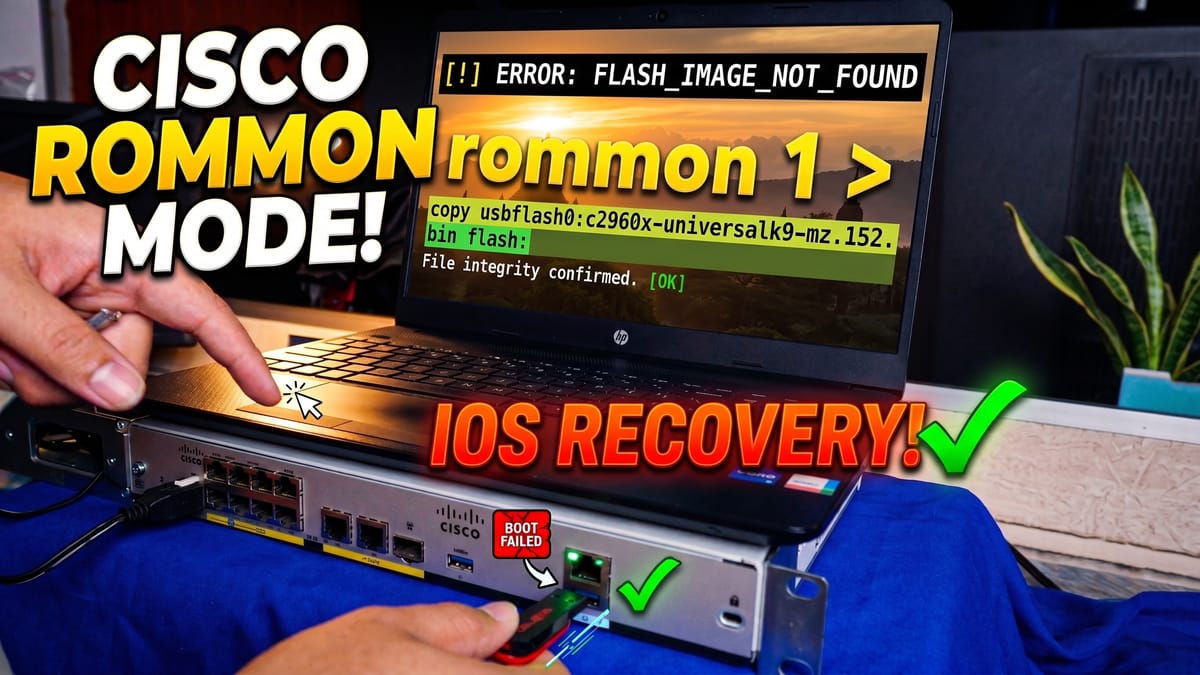
Have you ever stared at a terminal screen on a Cisco router, watched the system fail to boot, and felt your heart completely drop? If you work with enterprise networking gear long enough, it is a rite of passage.
But before you start sweating, you need to know about one of the most powerful safety nets in the networking world: Cisco ROMMON.
Whether you are configuring a massive enterprise network or just tinkering with some hardware in your home lab, understanding ROMMON will save you countless hours of troubleshooting. Let’s break down what it is, how to access it, and how to use it to bring your dead routers and switches back to life.
What Exactly is Cisco ROMMON?
ROMMON (short for ROM Monitor) is essentially the BIOS of the Cisco world.
Before your device even attempts to run the Cisco IOS, it has to pass through this initial, bare-metal stage. You will find ROMMON on both Cisco routers and switches. At this point, the main operating system hasn't loaded yet. Instead, the device is operating at a base level to handle the boot process, perform standard hardware checks, and prepare your boot variables.
Why does this matter? Because when your Cisco IOS gets corrupted, goes missing, or totally crashes, you can't rely on the normal operating system to fix the problem. The ROMMON prompt (which usually looks like rommon 1 >) is your emergency rescue zone.
How to Access ROMMON Mode
If your device is failing to boot properly, it might drop you into ROMMON automatically. But if you need to force your way in, there are two standard methods:
1. The Break Command (Common for Routers) When the device first powers on, right before the initial boot sequence finishes, you can send a "break" signal directly from your terminal emulator (like PuTTY, SecureCRT, or Tera Term). This interrupts the normal boot process and drops you right into the ROM Monitor.
2. The Physical Button (Common for Switches) If you are working with a Cisco switch, there is often a physical button on the front panel—usually labeled MODE. Unplug the switch, hold down the MODE button, plug the power back in, and keep holding it until the system LED turns solid or stops flashing (depending on the model).
Pro-Tip: Every Cisco series has its own quirks. If the break command or the MODE button isn't working, check the official documentation for your specific hardware. The timing and button combinations can vary between older models and newer IOS-XE devices.
Life-Saver #1: Cisco IOS Recovery
Because ROMMON acts like a BIOS, its number one job is rescuing your device when the IOS is gone or corrupted. There are two primary ways to get a fresh image onto the device:
- The TFTP Transfer: Using a command like
tftpdnld, you can transfer a healthy IOS file over your network straight into the router's flash memory. You set up a few environmental variables (like your IP address, subnet mask, default gateway, and the TFTP server IP), execute the download, and once it is in, you command the device to boot from it. - Booting from USB: If you have physical access to the device, you can often plug a USB flash drive directly into the router. You can boot the IOS temporarily from the USB drive, and once you successfully load into the Cisco command line, you just copy the permanent image file right into the internal flash.
Life-Saver #2: Password Recovery and Factory Resets
ROMMON isn't just for missing operating systems; it is also your go-to for password recovery and factory resets. If you bought a used router or simply locked yourself out, you can drop into ROMMON and change the configuration register.
The magic command you need is: confreg 0x2142
This command tells the router to completely bypass the startup-config stored in the NVRAM during the next boot. When the IOS loads up, the device looks like a completely blank slate. From there, you can enter privileged exec mode, copy the old startup-config into your running-config, and reset your passwords without losing the rest of your setup.
⚠️ CRITICAL STEP: Once you are done fixing your passwords, you must set that configuration register back to default in the global configuration mode: config-register 0x2102 If you forget this step, your device will ignore its saved configuration every single time it reboots!
The Wrap Up
The first time you see that rommon 1 > prompt, it is totally normal to feel a bit panicked. But once you understand the core concepts, you realize that ROMMON is actually one of the greatest features on Cisco hardware. From flashing a new IOS and manual booting, to factory resets and password recovery, mastering this mode will make you a much more confident network engineer.