
I'm Using an EOL FortiGate... It Still Works Great!
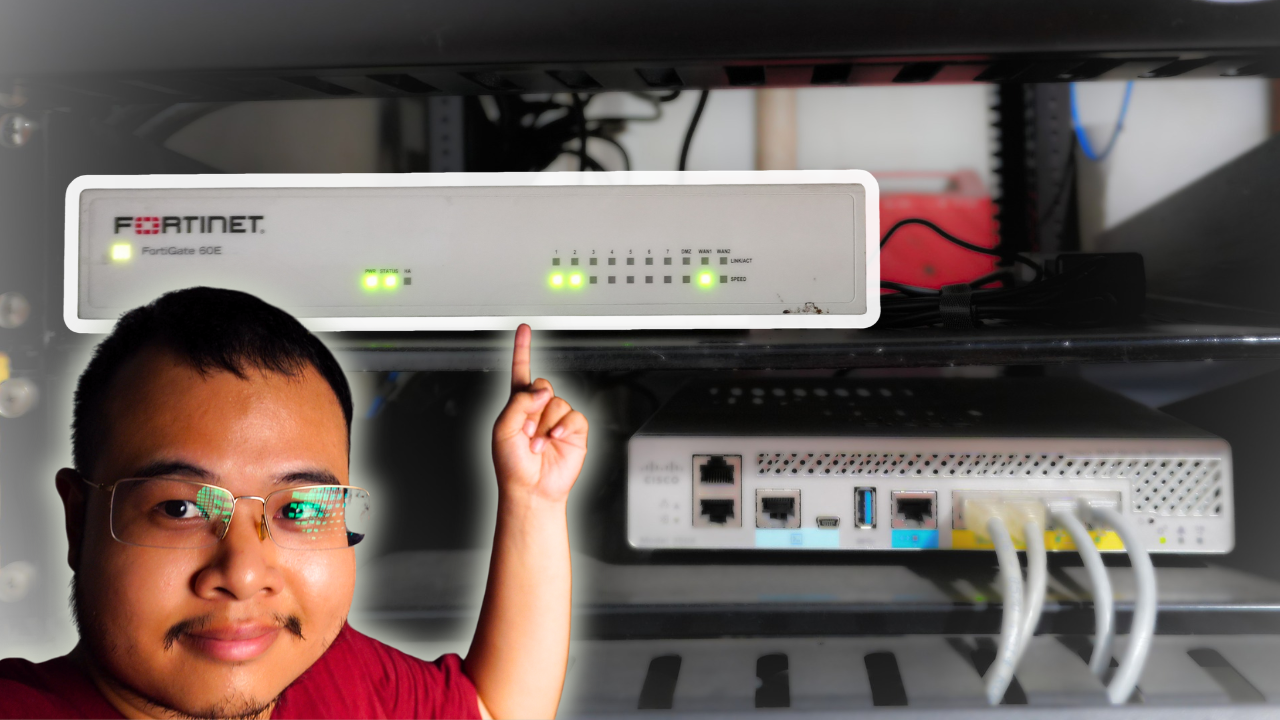
I'm currently using an older Fortinet firewall in my home network: the FortiGate 60E.
It's not the latest model, and you can already find this device at relatively affordable prices on the second-hand market. But despite its age and the limitations of running it without an active subscription, I still find it useful for my home networking environment.
So, why am I using an old enterprise firewall at home? What features can I still use without an active license? And more importantly, is it worth buying one for your own home lab?
In this article, I'll share my personal experience using the FortiGate 60E, including its advantages, disadvantages, and how I integrate it into my home network.
Why I Chose the FortiGate 60E
One of the main reasons I chose the FortiGate 60E is its relatively affordable price on the second-hand market.
FortiGate is an enterprise-grade firewall appliance designed to provide network security and traffic management capabilities.
Unlike a typical home router, it gives you access to more detailed firewall policies and network security configurations.
For my home network, I don't necessarily need every advanced security feature offered by Fortinet. What I really need is a reliable gateway that gives me more control over my local network.
That's where the FortiGate 60E comes in.
However, there's something important to understand: I'm using this device without an active FortiCare/FortiGuard subscription.
That means I have to accept certain limitations, especially when it comes to firmware updates and subscription-based security services.
This setup is more suitable for a home lab or an environment where you understand and can manage the associated security risks. I wouldn't recommend using unsupported firewall hardware for a business-critical network.
What Can I Do With a FortiGate Without a License?
Even without an active FortiGuard subscription, the FortiGate doesn't simply stop functioning.
According to Fortinet's documentation, the device continues to operate as a firewall even when its FortiGuard licenses expire. However, subscription-based security services and their database updates are affected.
For my particular use case, I mainly rely on the core networking and firewall capabilities.
Here are some of the things I use it for.
1. Managing VLANs and Administrative Access
One of my favorite things about FortiGate is how it handles network interfaces and administrative access.
Whenever I create a new interface or configure a VLAN, I can specify which management services are allowed on that interface.
For example:
- PING
- HTTPS
- SSH
- HTTP
This gives me control over how I access and manage the firewall through different network interfaces.
I can allow management access only from a trusted management network while keeping it disabled on other interfaces.
Another thing I like is FortiGate's default firewall security approach.
Its implicit deny rule means that traffic not matching an allowed firewall policy will be denied.
This gives me a good foundation for controlling communication between different networks.
2. Creating More Complex Firewall Policies
The second reason I like FortiGate is its flexibility when creating firewall policies.
In my home network, I have multiple VLANs, and I don't necessarily want every network to communicate with each other.
For example, I can create specific policies that allow my trusted devices to access certain servers while preventing other networks from reaching those resources.
I can also control which services are permitted.
Instead of simply allowing all traffic between two networks, I can specify particular protocols and services, such as HTTP, HTTPS, DNS, or SSH.
FortiGate also provides predefined service objects, so I don't need to manually configure every port and protocol.
Another useful feature is firewall scheduling.
I can create policies that only become active during specific times.
For internet access, FortiGate also provides the Internet Service Database (ISDB), which can be used to define destination services in firewall policies.
Alternatively, I can create address objects and address groups using specific IP addresses or subnets.
For me, this level of control is one of the biggest advantages of using an enterprise firewall in a home network.
3. Protecting My Publicly Exposed Services
I also host some public services in my environment, including my website and blog.
Because these services are accessible from the internet, I want to have better control over incoming connections.
I use FortiGate Virtual IP (VIP) configuration to forward specific ports to my internal web server.
But I don't want everyone on the internet to access my public server directly.
In my setup, I use Cloudflare as a CDN and as an additional layer of protection.
So, I configure my FortiGate firewall policy to accept incoming connections only from Cloudflare's published IP address ranges.
This way, requests to my website pass through Cloudflare before reaching my server.
I can also use source address restrictions and other firewall policies to control which traffic is allowed to reach my public services.
Of course, this doesn't eliminate every security risk, but it adds another layer of protection to my environment.
4. Using FortiGate as a Remote Access VPN Server
Another feature I find useful is remote access VPN.
I use my FortiGate as a VPN server, allowing me to securely connect to my home network when I'm outside.
FortiGate provides VPN configuration tools that make it relatively straightforward to create VPN connections.
Depending on the configuration and supported features, you can set up remote access or site-to-site VPN connections.
For my requirements, remote access VPN is more than enough.
I can connect to my home network and access internal resources without exposing every service directly to the internet.
It's a practical feature, especially when you already have a public IP address in your environment.
The Disadvantages of Using an Unlicensed FortiGate
Of course, there are some limitations.
An older FortiGate without an active subscription is not equivalent to a fully supported firewall with an up-to-date security service subscription.
Before purchasing one, there are two important things you should understand.
1. Firmware Update Limitations
The first disadvantage is firmware updates.
Fortinet applies firmware licensing restrictions to certain upgrades.
Depending on your FortiOS version and firmware support contract status, you may not be able to upgrade to a newer major or minor firmware version.
For example, upgrading between FortiOS 7.4 and 7.6 may require an eligible firmware support contract.
Patch-level upgrades have their own rules, so don't assume that every expired device can freely install any available firmware.
There are also discussions in the community about alternative firmware installation methods using the bootloader (U-Boot) and TFTP.
However, I personally consider this risky and would not recommend relying on unofficial workarounds as a regular firmware maintenance strategy.
For a firewall connected directly to the internet, running outdated firmware can introduce serious security risks.
2. No Full Access to FortiGuard Security Services
The second disadvantage is subscription-based security features.
Fortinet offers additional security services through FortiGuard, including antivirus, web filtering, DNS filtering, and intrusion prevention.
These services rely on security databases, signatures, and threat intelligence that need to be continuously updated.
When the relevant subscription expires, those services lose access to ongoing updates and certain security lookups. The exact impact depends on the service.
For example, existing IPS signatures may continue to work, but they won't receive new signature updates.
For my home network, I can accept these limitations because I'm primarily using the device for routing, firewall policies, network segmentation, and VPN connectivity.
However, I wouldn't treat an unlicensed FortiGate as providing the same security protection as a fully subscribed appliance.
How I Integrate FortiGate With MikroTik
One interesting thing about my home network is that I don't rely on FortiGate for everything.
I also use MikroTik to handle QoS and bandwidth management.
For my requirements, I prefer MikroTik's QoS configuration and traffic management capabilities.
So, I split the responsibilities between the two platforms.
The FortiGate mainly acts as my gateway and firewall, while MikroTik handles QoS for my local network.
This combination gives me the flexibility of FortiGate's firewall policies while still allowing me to manage bandwidth using MikroTik.
It's not necessarily the right architecture for everyone, but it works well for my requirements.
Is an Old FortiGate 60E Still Worth It?
For me, yes, but only for the right use case.
An older FortiGate can still be an interesting piece of networking hardware for a home lab, especially if you want to learn about enterprise firewall configurations, VLAN segmentation, firewall policies, and VPN connectivity.
However, there are important limitations to consider:
- No guarantee of ongoing firmware upgrades without an eligible support contract.
- Limited access to subscription-based FortiGuard security services.
- Hardware lifecycle and support limitations.
- Potential security risks when using outdated firmware.
Also, remember that End of Life (EOL), End of Support (EOS), and an expired subscription are not necessarily the same thing.
Always check the exact hardware SKU and its lifecycle status before purchasing.
For a home lab where you understand the risks, an older FortiGate can still be an interesting platform to experiment with.
But for a production environment that requires reliable security updates and vendor support, I would recommend using supported hardware with an appropriate subscription.