
Cisco Catalyst 3560G Review: Is a 20-Year-Old Switch Still Good?
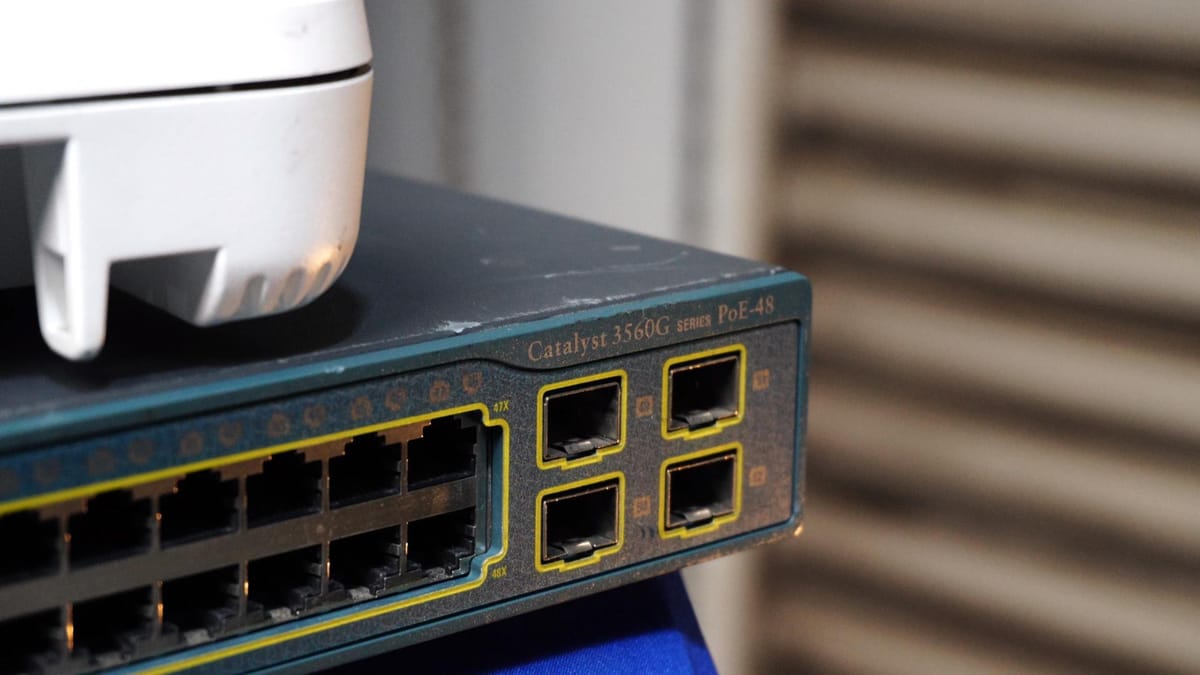
This switch launched over twenty years ago, and I guarantee you can still find it powering enterprise networks, lab racks, and local businesses today. The Cisco Catalyst 3560G is legendary. It’s built like a tank, and today we’re going to break down why this piece of networking history is still highly relevant in the refurbished and homelab markets.
Whether you are studying for your CCNA or building out a Proxmox virtualization lab, this end-of-life gear might just be the perfect budget core switch. Let’s dive into the hardware, the IOS licensing reality, and how to get one up and running.
How to Factory Reset a Cisco 3560G
If you bought a refurbished unit, you'll need to clear the old configuration before integrating it into your network. Resetting this switch to factory defaults is incredibly simple:
- Locate the Mode Button: Find the
Modebutton on the front panel of the switch. - Hold it Down: Press and hold the button.
- Watch the Lights: The indicator lights above the button will begin blinking. Keep holding the button until the blinking stops entirely.
- Reboot: The switch will reboot automatically.
That’s it—your configuration is completely cleared and ready for a fresh setup.
The Licensing Reality & Layer 3 Routing
So why do we still care about an End-of-Life switch? Because it is a true multi-layer routing powerhouse.
The letter at the very end of the model number dictates the software license:
- -S (IP Base): Mid-tier Layer 3 feature set. Supports basic routing like RIP and static routing.
- -E (IP Services / Enhanced): Full advanced Layer 3 feature set. Adds support for dynamic routing protocols like OSPF, EIGRP, and BGP.
- -L (LAN Base): Strictly Layer 2 switching capabilities.
The Catch: Why You Might Hesitate
Despite its greatness, we have to keep it real. There are a few drawbacks to buying 20-year-old hardware:
- End of Support: Cisco officially ended support for the 3560G back in 2018. That means no new firmware updates, no security patches, and no official TAC support.
- PoE Limitations: The PoE versions (
-PS) only support the older 802.3af standard, which maxes out at 15.4 watts per port. It will power your standard IP phones and basic IP cameras perfectly, but it completely lacks the juice to power modern, heavy-duty Wi-Fi 6 access points.
Final Verdict
Despite its age, the Cisco Catalyst 3560G is a masterclass in hardware reliability. If you need standard Gigabit speeds and robust Layer 3 routing on a budget, it is almost impossible to beat the value of this switch on the used market.